Exchange App
RWABTX is the platform's native dual-platform app (Android / iOS).
We did not take the "web wrapper" approach. Built with Flutter, everything from login, markets, charts, ordering and settlement to assets, deposits and withdrawals has been rewritten as native screens. Compared with a wrapper, this brings three clear differences: faster startup, responsive interaction, and eligibility for official app stores.
The app shares the same backend and account system as the web — one account, identical data on web and app, switch between them at any time.
Screens
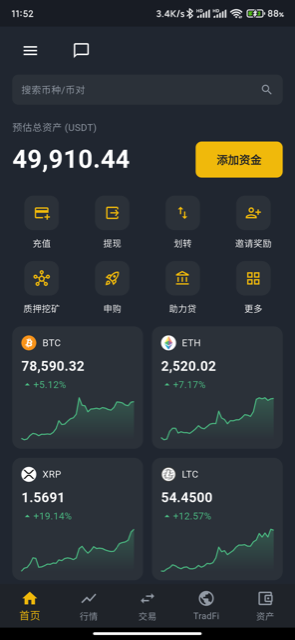
Asset overview and shortcuts; the grid is configured in the admin console
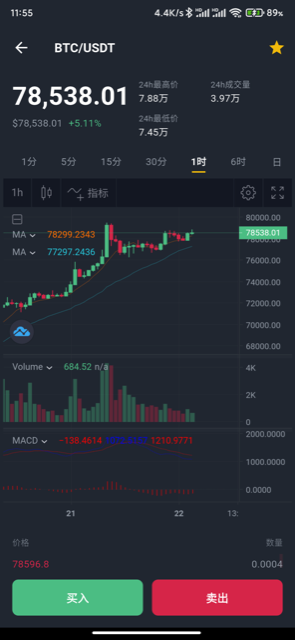
Professional TradingView charts with multiple timeframes and indicators
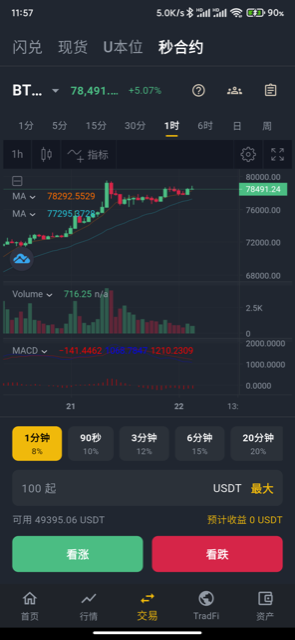
Periods and settlement parameters are configured by the platform in the admin console
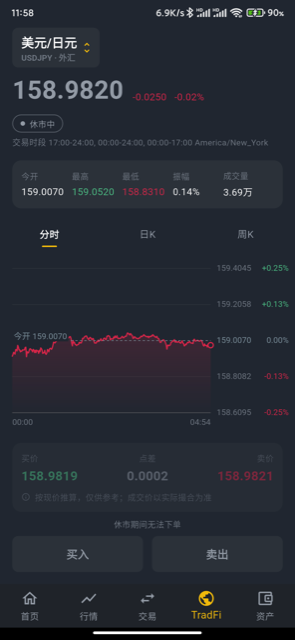
Forex and other traditional instruments; clearly marked and not tradable while markets are closed
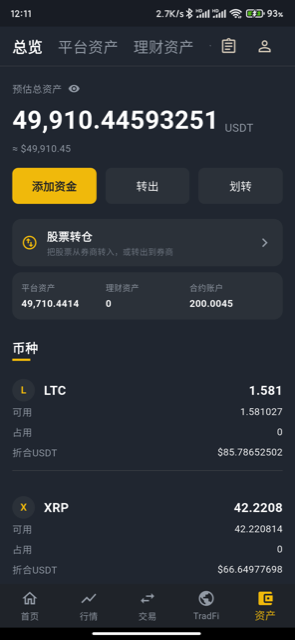
Separate platform / wealth / contract accounts, with holdings at a glance
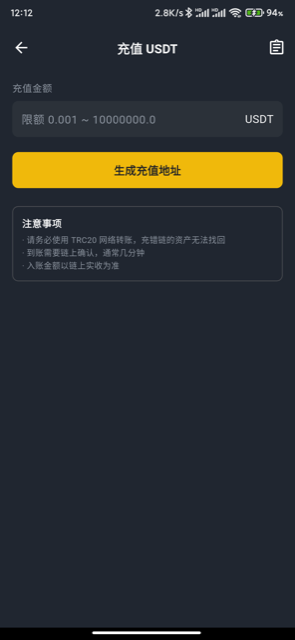
Network labeled per coin, with a direct warning that deposits on the wrong chain cannot be recovered
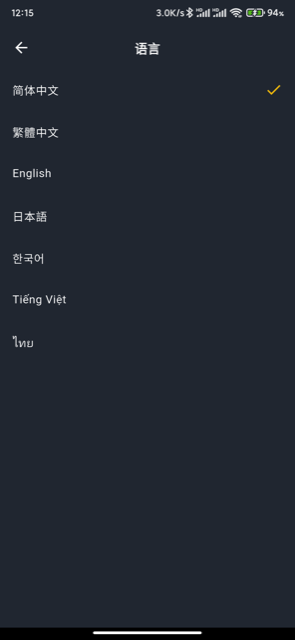
7 built-in languages; availability controlled in the admin console
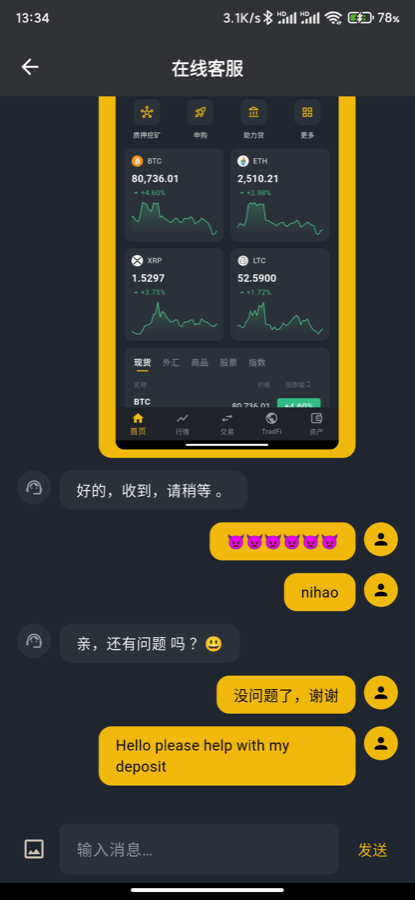
Chat directly in the app; agents reply from Telegram, text and images in real time
About these screenshots
All are real-device captures of the signed Android release build, not mockups, taken with the app in Simplified Chinese (English and 5 other languages are built in). Balances, prices and product parameters are demo environment data and do not represent an actual operating configuration — all of these are set by the platform in its own admin console.
Trading
- Markets and charts: professional TradingView charts with multiple timeframes and a full set of indicators; prices are pushed in real time
- Seconds contracts: order → countdown → automatic settlement, all native. The countdown is based solely on the server's fixing time, so what you see is the real settlement moment
- USDT-margined perpetuals: a complete loop of transfer, open, hold and close — market/limit orders, 10-level order book and real-time P&L on one screen
- Spot and instant swap: both trading methods side by side
- TradFi: forex, commodities, stocks, indices and other traditional instruments, with the same trading experience as digital assets
Assets and funds
Asset overview, account breakdown (spot / contract / wealth accounts at a glance), transfers, deposits, withdrawals, deposit/withdrawal history and ledger — all native.
The deposit page correctly labels TRC20 / ERC20 / BEP20 and other networks per coin, preventing wrong-chain deposits at the source.
Wealth products
Wealth management (three sections), staking, assisted lending and mining are all native screens. Token subscription (IPO) — project list, subscribing, orders and status changes — is fully native. Copy trading and lead trading are supported too.
Account and security
- Sign-up / login / password recovery: the app has full standalone registration, with no jump to the web
- KYC, email verification, bank cards, terms, VIP tiers and live chat are all native
- HTTPS + HTTP/2 at the network layer; expired sessions are detected immediately and redirected safely
Operator-configurable
The platform's admin console controls how the app looks, with no new release needed:
- Bottom navigation tabs, home service grid, "Me" menu and asset page tabs are all driven by admin configuration
- Announcements, help center, download center, white paper and referral center content are maintained in the admin console
- Referral deep-link attribution: when users install the app from a referral link, the referral relationship is carried over automatically, so the agent/referral system continues fully in the app
Languages
7 built-in languages: Simplified Chinese, Traditional Chinese, English, Japanese, Korean, Vietnamese and Thai. The language list is controlled in the admin console and can be switched on or off per operating region.
Automatic updates
The app automatically detects new versions and prompts users to update; the download and installation can be completed inside the app. See Install & Update.
iOS
Android and iOS share the same native codebase. The iOS version is published after being signed with your Apple developer certificate.